Endpoint Security for Small Businesses: The Complete Protection Guide for 2026
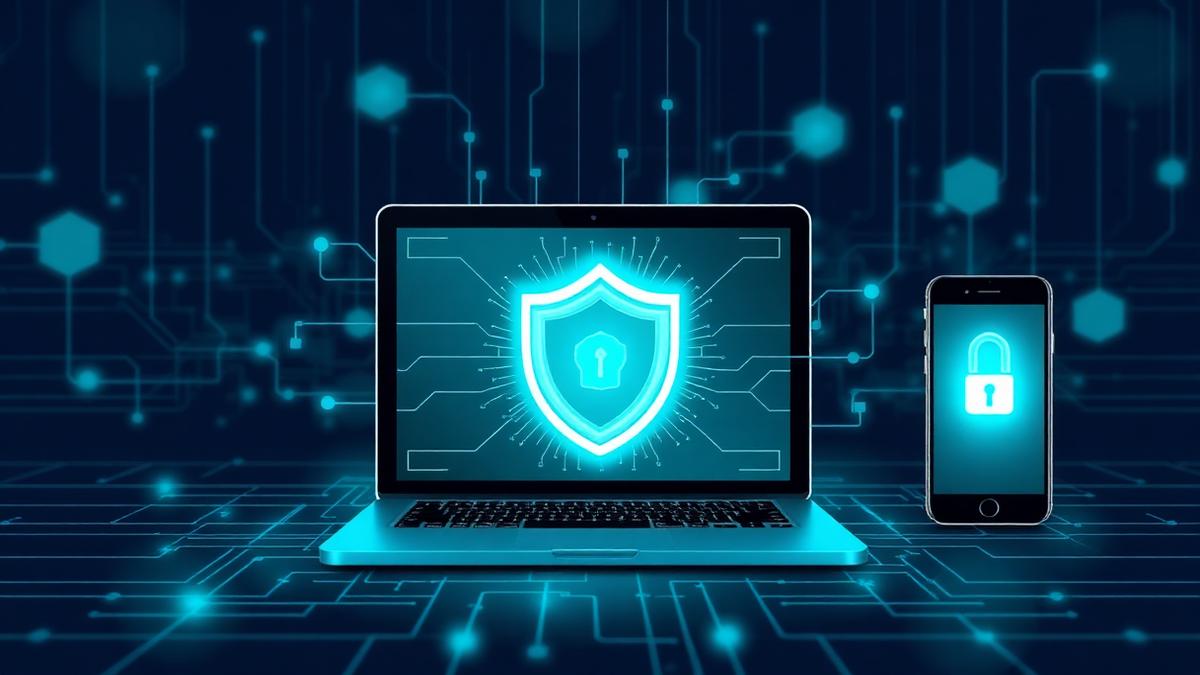
Endpoints — the laptops, smartphones, tablets, and IoT devices your team uses every day — represent the single largest attack surface for most small businesses. With remote and hybrid working now the norm, your employees are connecting from home networks, coffee shops, and co-working spaces, each introducing new risks that traditional perimeter security was never designed to handle. In 2026, endpoint attacks account for over 70% of successful breaches against small and mid-sized organisations. Ransomware delivered through compromised endpoints, credential theft from unmanaged devices, and data exfiltration via personal phones are daily realities. Yet many SMBs still rely on basic antivirus software that was designed for a world where everyone worked from the same office. This guide provides a practical, jargon-free roadmap for building endpoint security that actually works for small businesses — protecting every device without requiring an enterprise budget or a dedicated security team.
What Is Endpoint Security and Why It Matters for SMBs
Endpoint security refers to the practice of securing every device — or 'endpoint' — that connects to your business network and data. This includes company-issued laptops and desktops, employee smartphones and tablets, point-of-sale terminals, printers and scanners, IoT devices like security cameras and smart office equipment, and USB drives and external storage. Traditional antivirus software scans files for known malware signatures. Modern endpoint security goes far beyond this, incorporating behavioural analysis that detects suspicious activity even from previously unknown threats, real-time monitoring of device health and compliance, automated response capabilities that can isolate compromised devices within seconds, and centralised management that gives you visibility across every device in your organisation. For small businesses, endpoints are particularly vulnerable because they often lack the IT resources to manage devices consistently. An employee's laptop with an outdated operating system, a personal phone accessing company email without a PIN, or an IoT camera with default credentials — each of these is a door that attackers actively probe. The shift to remote work has amplified this challenge enormously. When your 'network perimeter' extends to every employee's home, the endpoint becomes your first and often only line of defence.
Understanding the Modern Endpoint Threat Landscape
The threats targeting endpoints in 2026 are significantly more sophisticated than even two years ago. Understanding what you are defending against is essential for building effective protection. Ransomware remains the most financially devastating endpoint threat. Modern ransomware variants use fileless techniques that operate entirely in memory, evading traditional antivirus detection. They encrypt data locally before spreading laterally across your network, and increasingly exfiltrate sensitive data before encryption to enable double-extortion — threatening to publish your data publicly if you do not pay. Infostealers have surged dramatically, with families like RedLine, Raccoon, and Lumma targeting credentials stored in browsers, session tokens, cryptocurrency wallets, and VPN configurations. A single compromised endpoint can yield credentials that grant access to your entire cloud infrastructure. Business email compromise often begins with endpoint compromise. Attackers install keyloggers or screen-capture malware to monitor email activity, learning your business processes before launching targeted fraud attempts. Supply chain attacks exploit trusted software update mechanisms to deliver malware through legitimate applications your employees already use. When a trusted vendor's software update contains malicious code, traditional allowlisting and antivirus are powerless. Living-off-the-land attacks use built-in operating system tools — PowerShell, WMI, legitimate admin utilities — to carry out malicious activity. Because these tools are expected to be present and running, signature-based detection cannot identify the threat.
Endpoint Detection and Response: Beyond Traditional Antivirus
Endpoint Detection and Response (EDR) has become the gold standard for endpoint protection, and for good reason. While traditional antivirus asks 'Is this file known to be malicious?', EDR asks 'Is this behaviour suspicious?' — a fundamentally more effective approach against modern threats. EDR solutions continuously monitor endpoint activity, recording process executions, network connections, file modifications, registry changes, and user actions. This telemetry data is analysed in real time using behavioural models and machine learning to identify anomalies that indicate compromise. When a threat is detected, EDR can automatically respond by isolating the affected endpoint from the network (preventing lateral movement), killing malicious processes, rolling back file changes to a pre-infection state, and alerting your security team with full context about what happened and how. For small businesses, modern EDR solutions have become significantly more accessible. Cloud-managed platforms eliminate the need for on-premises infrastructure, and many providers offer managed EDR services where security experts monitor your endpoints on your behalf. When evaluating EDR solutions, prioritise ease of deployment (can you roll it out to all endpoints in a day?), low performance impact (employees should not notice it running), quality of automated response (how much can be handled without human intervention?), and integration with your existing tools (does it work with your email security, identity management, and backup solutions?). Platforms like Bleach Security integrate endpoint protection as part of a unified security approach, meaning your EDR data feeds into the same dashboard as your email security, identity management, and compliance monitoring — giving you complete visibility without juggling multiple tools.
Mobile Device Security and BYOD Policies
Mobile devices represent a particularly challenging endpoint security problem for small businesses. Employees expect to access work email, documents, and applications from their personal phones and tablets, but these devices are outside your direct control. A Bring Your Own Device (BYOD) policy is essential, but it must balance security with employee privacy and practicality. An overly restrictive policy will be ignored; an overly permissive one leaves your data exposed. Effective BYOD security includes Mobile Device Management (MDM) or Mobile Application Management (MAM) solutions that create a secure container for business data on personal devices. This separation means you can enforce encryption and PIN requirements on business applications, remotely wipe business data if a device is lost or an employee leaves (without touching personal photos and apps), control which applications can access business data, and monitor device compliance without surveilling personal usage. At a minimum, your mobile security policy should require screen lock with biometric or PIN authentication, operating system updates within a defined timeframe, encryption enabled on the device, prohibition of jailbroken or rooted devices, and approved application sources only (no sideloading). For company-owned devices, you have more control and should implement full device management with the ability to enforce security policies, track device location (for lost or stolen devices), and remotely wipe the entire device if necessary. The key is making security as frictionless as possible — if accessing work securely is harder than accessing it insecurely, employees will find workarounds.
Endpoint Hardening: Reducing Your Attack Surface
Endpoint hardening is the process of reducing the attack surface on each device by removing unnecessary software, tightening configurations, and applying the principle of least privilege. Operating system hardening starts with ensuring automatic updates are enabled and enforced. Unpatched operating systems are the most commonly exploited vulnerability in SMB environments. Beyond patching, disable unnecessary services and features — if your employees do not need Remote Desktop Protocol, disable it rather than leaving it as an attack vector. Application management means maintaining an inventory of approved software and removing anything unnecessary. Every application installed on an endpoint is potential attack surface. Browser extensions deserve particular attention — malicious or compromised extensions are an increasingly common attack vector that can steal credentials, inject advertisements, and exfiltrate data. Privilege management is critical. Employees should not have local administrator rights on their endpoints unless absolutely necessary. Running with standard user privileges prevents most malware from installing itself or making persistent system changes. When administrative access is needed for specific tasks, use just-in-time privilege elevation that grants temporary access and logs all activity. Disk encryption should be mandatory on all endpoints. BitLocker on Windows and FileVault on macOS are built-in, free, and straightforward to enable. A lost or stolen laptop with an unencrypted disk is a data breach; with encryption, it is a lost laptop. Firewall configuration on individual endpoints provides defence-in-depth. Enable the built-in OS firewall and configure it to block inbound connections by default. This is particularly important for devices connecting to untrusted networks like public Wi-Fi.
IoT Device Security: The Overlooked Endpoint
Internet of Things devices — security cameras, smart thermostats, network printers, conferencing equipment, and smart office accessories — are endpoints that are frequently overlooked in security strategies. Yet they often run outdated firmware, use default credentials, and lack basic security features. IoT devices pose unique risks because they typically cannot run endpoint security software, are rarely updated by manufacturers after the initial sale, often have hardcoded credentials or weak default passwords, and may communicate with external servers without your knowledge. To secure IoT devices in your business environment, start with network segmentation. Place all IoT devices on a separate network segment (VLAN) isolated from your main business network. This ensures that a compromised camera or printer cannot be used as a stepping stone to access your servers, workstations, or sensitive data. Change all default credentials immediately upon deployment. If a device does not allow you to change its default password, seriously reconsider whether you should be using it. Maintain a complete inventory of all IoT devices on your network — you cannot secure what you do not know exists. Disable unnecessary features. Many IoT devices ship with remote access, UPnP, and other features enabled by default that create security risks. Turn off anything you do not actively use. Establish a firmware update schedule. Check for updates quarterly at a minimum, and subscribe to manufacturer security advisories. When a device reaches end-of-life and stops receiving security updates, plan for its replacement.
Patch Management: The Foundation of Endpoint Security
Patch management — the process of keeping operating systems, applications, and firmware up to date — is arguably the single most impactful endpoint security practice. The vast majority of successful endpoint attacks exploit known vulnerabilities for which patches already exist. Despite this, many small businesses struggle with consistent patching. Common challenges include employees delaying updates because they interrupt work, lack of visibility into which devices need patches, concern about updates breaking critical applications, and no clear ownership of the patching process. An effective patch management approach for small businesses includes automated deployment where operating system updates are configured to install automatically on all managed endpoints, with a brief testing window on a small group of devices before wider rollout. This catches compatibility issues without leaving your fleet exposed. Third-party application patching is equally important. Your web browsers, PDF readers, office suites, and communication tools all need regular updates. Many endpoint management tools can automate third-party patching alongside OS updates. Define your patching timeframes based on severity. Critical security patches should be applied within 72 hours. High-severity patches within one week. All other patches within 30 days. These timeframes align with most cyber insurance requirements and compliance frameworks. Maintain patching visibility through a centralised dashboard that shows the patch status of every endpoint. This lets you quickly identify non-compliant devices and take action before they become breach vectors.
Building Your Endpoint Security Strategy on a Budget
Small businesses do not need enterprise budgets to implement effective endpoint security. The key is prioritising the controls that deliver the most protection per pound spent. Start with the fundamentals that cost nothing: enable disk encryption on all endpoints, configure built-in firewalls, enforce automatic OS updates, remove local admin rights from standard users, and enable screen locks with strong authentication. These five steps alone eliminate a significant percentage of endpoint attack vectors. Next, invest in a modern endpoint protection platform that combines traditional antivirus capabilities with behavioural detection and automated response. Cloud-managed solutions designed for SMBs typically cost between £3-8 per endpoint per month and eliminate the need for on-premises management infrastructure. For mobile devices, leverage the MDM capabilities built into platforms like Microsoft 365 Business Premium, which many small businesses already pay for. This provides basic device management, conditional access policies, and remote wipe capabilities at no additional cost. Consolidate your security tools where possible. A unified platform that covers endpoint security alongside email protection, identity management, and compliance monitoring will typically cost less than buying each capability separately — and provides better security through integrated visibility and response. Bleach Security's platform is designed specifically for this approach, giving small businesses and their MSPs a single pane of glass across all security domains including endpoint protection. This consolidation reduces both cost and complexity while improving your overall security posture. Finally, invest in employee training. The most sophisticated endpoint security can be undermined by an employee who clicks a malicious link, installs unauthorised software, or connects to an unsecured network. Regular, engaging security awareness training transforms your team from your biggest vulnerability into your strongest defence.
Conclusion
Endpoint security is no longer about installing antivirus and hoping for the best. In 2026, every device that touches your business data — from company laptops to employee phones to the smart camera in your office — needs to be part of a deliberate security strategy. The good news is that effective endpoint protection is more accessible than ever for small businesses. Cloud-managed EDR solutions, built-in encryption and firewall tools, and unified security platforms have eliminated the need for enterprise-scale budgets and dedicated security teams. Start with the fundamentals: enforce updates, enable encryption, remove unnecessary admin privileges, and deploy modern endpoint protection. Then layer in mobile device management, IoT segmentation, and consistent patch management. Each step measurably reduces your risk and strengthens your overall security posture. The organisations that suffer the worst endpoint breaches are not those that face the most sophisticated attacks — they are those that leave basic protections unimplemented. Do not let your business be one of them.
About the Author
Bleach Security Team is part of the Bleach Security team, specializing in cloud security, compliance, and helping businesses protect their digital assets.
Published on March 23, 2026
Frequently Asked Questions
Ready to Enhance Your Cybersecurity?
Discover how Bleach Security can help protect your business with our comprehensive security solutions.
Related Articles
Data Backup and Disaster Recovery: The Complete SMB Playbook for 2026
Backups are only as good as your last successful restore. Learn how to build a modern, ransomware-resilient backup and disaster recovery strategy that keeps your small business running through any incident.
Cyber Insurance for Small Businesses: What You Need to Know in 2026
A single data breach can cost a small business hundreds of thousands. Cyber insurance is no longer optional — here's how to choose the right policy and avoid costly coverage gaps.